Why Do Fire Protection Contractors Need ERP Systems?

Last Updated: October 25, 2026
Quick Summary
Fire protection contractors need ERP systems because their work runs as a chain of connected jobs, from bid and bill of materials through install, inspection, and final invoice. One platform connects estimating, project management, field service, inspections, inventory, and accounting, closing the gaps where money leaks.
An ERP replaces the mix of spreadsheets, paper forms, and disconnected apps most contractors juggle today.
Start with the inspection and deficiency workflow, because that is where the money leaks.
Fire inspection management software schedules recurring inspections automatically by frequency and system type.
Deficiency tracking software turns every failed inspection item into a tracked, billable repair.
Test offline mode before you commit by completing a work order in airplane mode, then syncing.
Table of Contents
What an ERP System Does for Fire Protection Contractors
Fire Protection Contractor Software Features That Matter Most
How Fire Inspection Management Software Keeps NFPA Work on Schedule
Why Fire Deficiency Tracking Software Protects Revenue and Compliance
Fire Protection Field Service Management Software: Scheduling, GPS, and Job Notes
Connecting Job Costing, Accounting, and Real-Time Visibility
Evaluating ERP Systems for Fire Protection Contractors
Frequently Asked Questions
What an ERP System Does for Fire Protection Contractors
An ERP system for fire protection contractors is a single platform that connects estimating, project management, field service, inspections, inventory, and accounting in one place.
Why does that matter for fire protection contractors? Because the work is not one job. It is a chain of jobs.
A single sprinkler contract runs through a bid, a bill of materials, a permit, an install crew, an inspection schedule, and a final invoice. Break one link and the whole chain slows down.
Most contractors do not lose money on big jobs. They lose it in the gaps between jobs. A missed annual inspection. A deficiency ticket nobody billed. A change order that never reached accounting. An ERP closes those gaps.
Fire Protection Contractor Software Features That Matter Most
The features that matter most are the ones tied to how fire protection work actually gets done: inspection tracking, deficiency management, field service, job costing, and native accounting. Generic construction tools miss most of these.
Here is what a fire protection contractor should look for:
NFPA inspection and ITM tracking built into the system, not bolted on
Deficiency tracking that turns a failed inspection into a billable repair ticket
GPS clock-in and crew scheduling for field technicians
Job costing that updates as work happens, not weeks later
Native accounting with a real double-entry ledger
Inventory management for parts and materials
Estimating tools that pull bill of materials from plans
What most guides miss is the order of importance. Contractors often shop for accounting first because it feels safe. In practice, the inspection and deficiency workflow is where the money leaks. Start there.
Here are the core capabilities a fire protection contractor should look for in an ERP system. For a deeper comparison of field service software options built for fire contractors, see our dedicated guide.
Feature | What it does |
NFPA inspection and ITM tracking | Built into the system, not bolted on |
Deficiency tracking | Turns a failed inspection into a billable repair ticket |
GPS clock-in and crew scheduling | For field technicians |
Job costing | Updates as work happens, not weeks later |
Native accounting | Real double-entry ledger |
Inventory management | For parts and materials |
Estimating tools | Pull bill of materials from plans |
How Fire Inspection Management Software Keeps NFPA Work on Schedule
Fire inspection management software keeps NFPA work on schedule by tracking every customer's inspection cycle, flagging upcoming due dates, and generating the documentation inspectors and clients expect.
The real problem is not doing the inspection. It is remembering which of hundreds of customers is due next month. A common approach is a spreadsheet with a date column. If you are weighing a move off paper, this guide to alternatives to paper fire inspection forms walks through the practical options. That works until it doesn't.
Fire inspection management software fixes three things:
It schedules recurring inspections automatically by frequency and system type.
It stores inspection records in one audit trail.
It flags overdue accounts before a client notices.
NFPA 13, 25, and 72 each carry their own inspection and testing rhythms. Tracking them by hand invites mistakes.
Watch out: a missed inspection is not just an admin slip. It can mean a lapsed contract and a compliance gap for the building owner.
Why Fire Deficiency Tracking Software Protects Revenue and Compliance
Fire deficiency tracking software protects revenue by turning every failed inspection item into a tracked, billable repair. It protects compliance by keeping a clean record of what was found, quoted, and fixed.
This is the most overlooked piece of the stack. Here is the typical failure:
A technician finds a corroded sprinkler head during an inspection.
The finding gets noted on a paper form.
The form goes in a folder.
Nobody quotes the repair.
The client never gets billed.
Fire deficiency tracking software closes that loop. Each deficiency becomes a ticket with a status, an owner, and a link to the invoice. Nothing falls through. The client gets a clear record, and the contractor gets paid for work already identified.
The compliance side matters too. A clean deficiency history shows what was flagged and when it was resolved. That record is worth having when a client or authority asks questions.
Fire Protection Field Service Management Software: Scheduling, GPS, and Job Notes
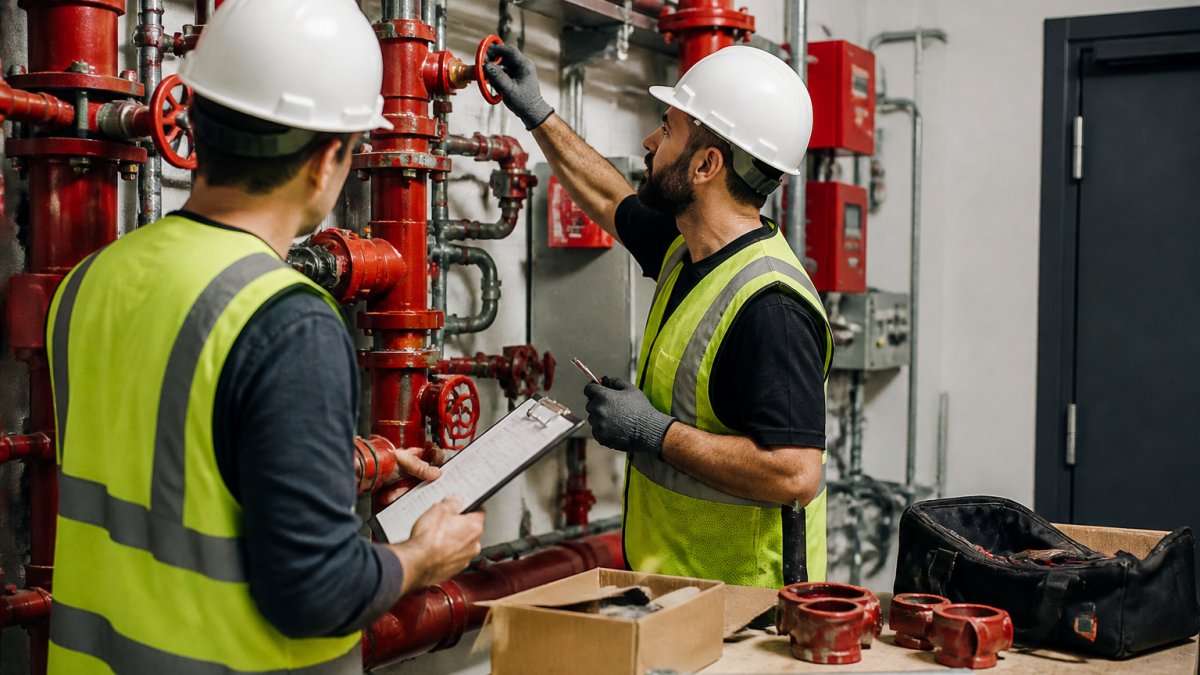
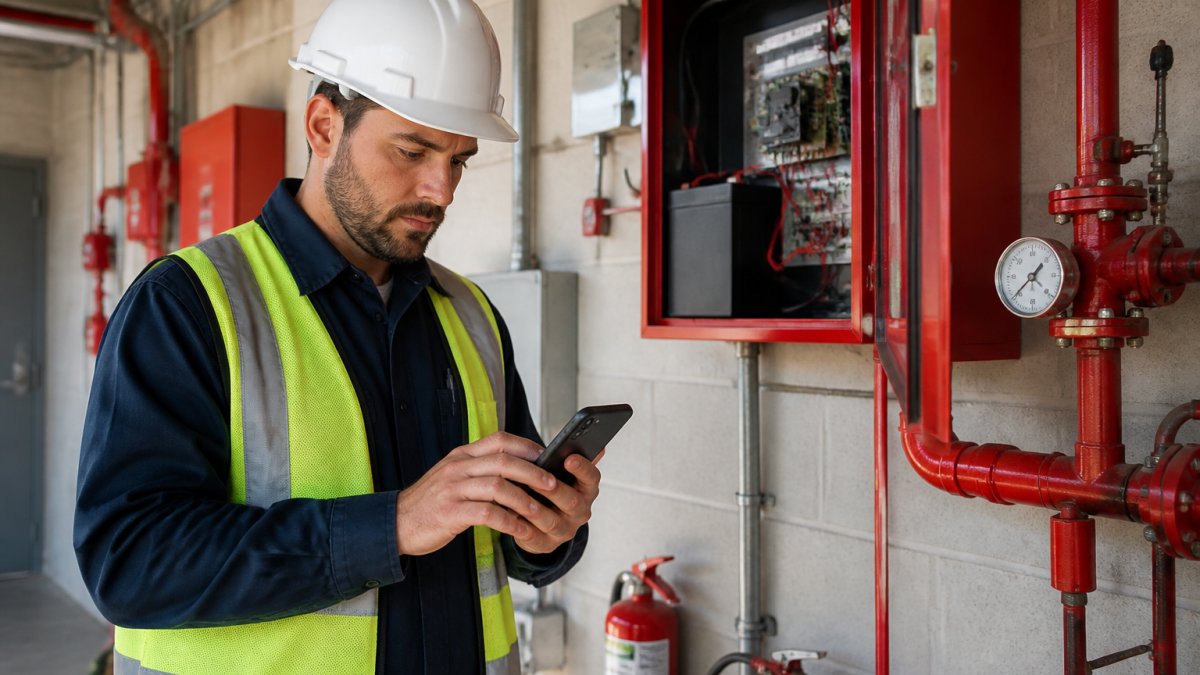
Fire protection field service management software handles the daily reality of dispatch: who is going where, when they clocked in, what they found on site, and whether the customer signed off before the tech left the property.

The hardest part is not the software. It is getting technicians to use it. Tactics for improving field technician adoption of mobile apps can help answer that.
The answer is to make the app easier than the paper. Good fire protection field service management software does that by closing the loop on the full dispatch day, not just the schedule:
Dispatch and routing that shows the dispatcher which tech is closest to an emergency sprinkler leak, not just who is available
GPS clock-in and geofenced time capture that removes the timesheet argument and ties labor hours to the right job automatically
Mobile work orders with inspection checklists that match the system being tested, wet pipe, dry pipe, pre-action, foam, or fire alarm, so the tech is not translating a generic form
Offline access for basements, parking garages, and high-rise mechanical rooms where cell signal drops; the app queues the data and syncs when the tech is back in range
Photo and video capture attached to the deficiency or work order, not texted to a personal phone
Customer sign-off on the device at the point of service, so the inspection report and the invoice are not waiting on a paper signature that sits in a truck console for a week
That last point is where revenue leaks.
A common pattern among contractors who switch successfully: they pilot the mobile app with two or three techs who are already comfortable with tablets, let those techs train the rest, and keep the office staff in the same system so the dispatcher and the technician see the same work order. Adoption improves when the tech sees that the app eliminates the end-of-day paperwork pile, not just adds a screen.
Pro Tip Test offline mode before you commit. Ask the vendor to show you a work order completed with the device in airplane mode, then synced. If the app cannot handle a basement inspection without a signal, your techs will go back to paper.
Connecting Job Costing, Accounting, and Real-Time Visibility
Connecting job costing to accounting gives contractors real-time visibility into whether a job is making money while there is still time to act.
Most shops find out a job lost money after it closes. By then the crew hours are spent and the materials are gone. That is a reporting problem, not a pricing problem.
When job costing, inventory, and accounting live in one system, the picture changes:
Labor hours hit the job as they are clocked, including travel time and overtime, so the project manager sees the true labor burden, not just the straight-time estimate
Material costs post when they are pulled from truck stock or the warehouse, not when the monthly statement arrives
Serialized equipment is tied to the job and the customer, the backflow assembly, the fire pump controller, the alarm panel, so warranty claims and recall notices can be traced to the exact install
Certifications and test records attach to the asset, which matters when an authority having jurisdiction asks for the manufacturer's certification on a specific device
Change orders update the budget and the invoice in the same step
Replenishment triggers when truck stock falls below par, so the tech is not short a part on the next inspection route
The inventory piece is where generic construction ERPs fall short.
Real-time visibility also helps with cash flow. A contractor can see which jobs are ready to invoice and which are waiting on a deficiency repair to close out.
The alternative is exporting spreadsheets to an accountant every month. That is not cost control. That is a monthly post-mortem.
Key Takeaway Job costing without inventory traceability is a partial number. For fire protection work, the serial number and certification on the equipment are part of the cost record, not an afterthought.
Evaluating ERP Systems for Fire Protection Contractors
Evaluating ERP systems for fire protection contractors comes down to fit, not feature count. The right system matches how fire, life safety, and low voltage work actually flows.
Use this checklist before signing anything:
Does it track NFPA 13, 25, and 72 inspections out of the box?
Does a deficiency automatically create a repair ticket and invoice?
Is the accounting a real double-entry ledger, or a bolt-on?
Does it handle GPS clock-in and crew scheduling?
Can it pull bill of materials from plans?
How long does setup take, and is data migration required?
Is there a free trial so the team can test it before committing?
That last point matters. A free trial lets a contractor see whether the crew will actually use the app.
The best way to judge fit is to compare the shortlist side by side. Our roundup of the best construction management tools for fire protection, life safety and low voltage gives you a starting shortlist.
Best for: contractors drowning in spreadsheets who need inspections, field service, and accounting in one place. Skip if: the shop is a one-person operation with no recurring inspection work.
The takeaway is simple. Fire protection contractors do not need more software. They need one system that follows the work from bid to inspection to invoice.
Frequently Asked Questions
What is an ERP system for fire protection contractors?
An ERP system for fire protection contractors is one connected platform that runs estimating, project management, field service, inspections, deficiency tracking, inventory, and accounting. Instead of stitching together spreadsheets, scheduling apps, and a separate ledger, the contractor works from a single database. That means a deficiency found during an NFPA 25 inspection can generate a repair ticket, a work order, and an invoice without re-entering data. For fire protection contractors, the value is fewer handoffs and one source of truth for every job.
How can fire inspection management software help with NFPA compliance?
Fire inspection management software tracks which customers need annual, quarterly, or monthly inspections and keeps the documentation attached to each account. It schedules the work, records results in the field, and stores an audit trail for NFPA 13, 25, and 72 inspections and ITM. When a customer asks for proof of testing, the record is already there. That removes the manual calendar-and-spreadsheet routine that causes missed inspections and last-minute scrambles.
Can an ERP system track deficiencies and follow-up work?
Yes. Fire deficiency tracking software inside an ERP captures each deficiency at the point of inspection, assigns it to the right customer and asset, and pushes it into a repair ticket. From there it can flow to scheduling, procurement for parts, and invoicing once the work is complete. Nothing sits in a notebook waiting to be typed up. The result is faster follow-up, fewer lost repair opportunities, and a clear record of what was found, quoted, and fixed.
When should a fire protection contractor switch to an ERP system?
The signal is usually when spreadsheets start costing more than they save: missed inspections, job costs that are discovered after the fact, field notes that never reach the office, and accounting that has to reconcile by hand. A 12-person shop doing steady revenue can outgrow disconnected tools quickly. Look for a platform built for fire protection workflows with a free trial, so you can test inspections, deficiency tracking, and job costing on real jobs before committing.
Add yourpm.ai as a preferred source on Google →

Comments